


VideoDownloader
2.86.00 Reviews
App Specs
- Version
- 1.14
- Updated On
- License
- Free
- Downloads
- 100,000+
- Developer
- Dituo Technology
- Categories
- Video Players & Editors
- Platform
- Android
Screenshots
 Analysis by AppCompare
I approached VideoDownloader as a practical tool rather than a full editing suite: something meant to help me save videos and watch them in high definition from one place. That focus is clear from the first impression. It belongs to the video players and editors category, is free to install, and comes from Dituo Technology. The app is aimed at people who want a quick route from finding a video to keeping a copy available for later viewing.
My overall reaction is mixed but understandable. The idea is useful, especially when I am dealing with an unreliable connection or want to watch a personal video away from home. At the same time, a downloader has to make the saving process feel transparent and dependable, because users are trusting it with storage, data, and often important media. The current average is 2.8 from roughly three dozen ratings, which suggests that the experience has not been equally smooth for everyone. I would therefore treat it as a tool worth testing for a specific need, not an automatic replacement for every video app already on a phone.
How the current version fits into everyday use
The current release is version 1.14, and the app is designed for devices running Android 8.0 or newer. That gives it a reasonably broad place on older and newer Android phones, although compatibility alone does not tell me how well it will behave on a particular device. Performance can still depend on available storage, connection quality, and the way the phone handles background activity.
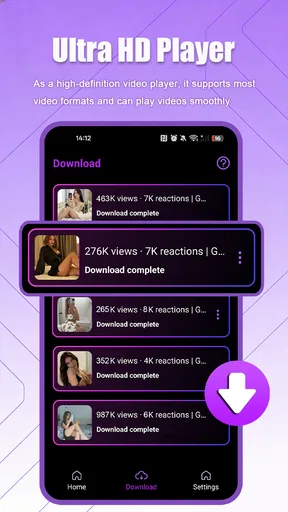
In practice, I see the most value in a simple routine: locate a video, start a download, wait for it to finish, and use the built-in HD player afterward. That is more convenient than moving between a browser, a file manager, and a separate player. The convenience is not just about fewer taps. Keeping the download and playback steps together makes it easier to check whether the saved file is actually usable before I leave a dependable network.
There is an important distinction here. A video downloader is not automatically a universal offline library. Whether a particular video can be saved depends on the source, the rights attached to it, and the service from which it comes. I would use this app for content I am allowed to download, such as my own recordings, openly downloadable material, or files shared with permission. I would not assume that the presence of a download function overrides restrictions imposed by another platform.
The HD player is also a meaningful part of the experience. A saved file is only useful if the app can open it comfortably and present it at a suitable quality. For a quick check, travel clip, tutorial, or personal recording, having playback close to the download workflow is sensible. It can save me from discovering later that I downloaded a file but cannot easily find or view it.
That said, I would not confuse the player with a dedicated media-management system. People who organize large collections by folders, tags, playlists, subtitles, or detailed playback settings may prefer a mature standalone player. VideoDownloader makes more sense when the main task is obtaining a video and watching it soon afterward, rather than maintaining a carefully catalogued archive.
Worth Reading Before You Choose

EA SPORTS FC Mobile 26 Is a Bigger Football Game, but It Takes Time

Flipboard Shows What News Apps Must Do Beyond the Feed

Switching to Android Auto Means Rethinking Your Driving Routine

Google Calendar Makes a Crowded Week Easier to Manage

Ludo King Makes the Most of the Minutes Between Plans

Baby Panda World Brings Quick Play to Modern Phones, but Its Game Library Feels Busy
A realistic situation where it earns its place
Imagine I am leaving home for a long train journey and want to keep a few permitted instructional videos available. I can use a stable Wi-Fi connection before leaving, save the clips, and open them in the app while travelling. The practical advantage is that I can test playback before the journey begins instead of relying on a website that may load slowly or fail in a weak-signal area.
There is a second, less obvious benefit in that workflow: downloading before travel lets me notice storage pressure early. High-definition files can occupy more space than expected, so I would check the phone’s free capacity first and avoid starting a large batch blindly. If space is limited, I would save only the videos I genuinely need and remove them after watching. This is a better habit than treating the app as a permanent archive.
For family use, the Everyone content rating makes the app broadly approachable from an age-classification standpoint. That does not mean every video obtained through it is automatically suitable for every viewer; the source material still matters. I would keep that distinction in mind if the phone is shared with children.
What feels different from the usual alternatives
The usual alternative is to stay inside the original video service and use its own offline feature, when one is available. That route is often preferable for protected content, account-based libraries, and official playback support. It may also keep downloads tied neatly to the service’s own rules and interface. VideoDownloader is more appealing when I need a separate local copy for legitimate personal use or when I want a lightweight player alongside the saving process.
Another alternative is a browser plus a file manager. That combination can work, but it creates more opportunities for confusion: the download may be stored in an unexpected folder, the file manager may not show a useful preview, and playback may require another application. VideoDownloader’s attraction is the shorter path between those stages. The trade-off is that a focused downloader may not offer the broad file organization, privacy controls, or playback customization found in separate specialist tools.
I would also compare it with a dedicated HD media player. Such players are usually better choices when I already have a collection of local files and need broad format support or advanced control. VideoDownloader is the more direct choice when downloading is the starting point. The right decision depends on which task happens most often: acquiring videos or managing them afterward.
Changes visible in the current release
Version 1.14 is the release I would judge today, and it is the useful reference point for anyone considering installation. The product has reached over one hundred thousand installs, so it is not an entirely unknown experiment. Still, that level of adoption should not be read as proof that every device or source will behave identically. The rating and the relatively small review pool point to an experience that deserves personal testing.
When I evaluate a downloader at this stage, I look for signs of product maturity in the workflow rather than expecting a long list of extras. Does the app make the download state understandable? Can I tell what has completed? Is the resulting file easy to open? Does the HD player feel like part of the same tool instead of an afterthought? These questions matter more to me than decorative features because they affect whether I can trust the app during a real trip or before an important presentation.
The store summary presents it as a fast downloader with an HD player, so speed and playback are central expectations. I would keep those expectations practical. Download speed cannot exceed what the connection, source, and phone can provide, and high-definition playback cannot compensate for a poor original file. The app may streamline the process, but it cannot remove those outside limits.
The free entry point is helpful for trying the workflow without an upfront purchase. There are in-app purchases ranging from ninety-nine cents to nine dollars and ninety-nine cents per item, so I would check the purchase screen carefully before paying for anything. A free installation does not necessarily mean every capability is permanently free. For someone who only needs occasional downloads, that distinction may make the app less attractive than a tool with no optional spending.
How existing users may experience the update
For someone already using an earlier build, the most important question is whether the current release preserves a familiar routine. If downloads and playback are already working reliably, an update is most valuable when it improves stability or removes small points of friction. I would update with enough free storage available and avoid doing so immediately before a journey when I still need access to saved videos.
Existing users should also review their downloaded files after moving to a newer release. I would open several representative videos rather than checking only one: a short clip, a longer recording, and the highest-quality file I commonly use. That quick test can reveal whether the player handles the files I care about and whether the library remains easy to navigate.
A useful maintenance habit is to separate temporary downloads from files I intend to keep. I would create a simple naming routine outside the app if the phone’s file system allows it, especially for tutorials or work-related recordings. This avoids relying entirely on a download list that may become crowded. It also makes switching to another player easier if I later decide that a specialist tool suits me better.
I would be cautious about assuming that an update changes the app’s relationship with every video source. A newer version can improve the application itself, but it does not guarantee that external websites or services will remain compatible forever. That is one reason I see this kind of app as a convenient utility rather than the foundation of a permanent media library.
The friction that remains important
The first limitation is predictability. A downloader can feel excellent with one source and disappointing with another, because the source may use different formats, access rules, or delivery methods. I would not install it expecting a universal answer to every video-saving problem. The more varied my sources are, the more carefully I would test them before depending on the app.
The second issue is storage. HD files are useful because they look sharper, but that quality comes with a cost in space. On a phone with limited capacity, several large downloads can crowd out photographs, messages, or system updates. My advice is to treat HD as a deliberate choice: use it when detail matters, but do not select the highest quality automatically for every casual clip.
There is also a privacy and safety responsibility on the user’s side. I would avoid downloading from suspicious pages, and I would be careful about files that have misleading names or unexpected behavior. A downloader should not be treated as a guarantee that every source is trustworthy. Keeping the operating system updated and reviewing what I save are sensible precautions, particularly on a shared device.
People who need editing tools may find the app too narrow. The category includes video players and editors, but the store positioning emphasizes downloading and HD viewing rather than a complete editing workspace. If my goal is trimming, adding captions, combining clips, adjusting audio, or exporting in a specific format, I would choose a dedicated editor instead of expecting this app to become one.
I would also skip it if my main requirement is a polished streaming subscription experience. Official services are generally better for licensed catalogues, synchronized progress, recommendations, and account-based access. VideoDownloader serves a different purpose: it is about handling permitted video files more directly, not replacing the entire streaming ecosystem.
Questions I would settle before installing
Can I use it on an older Android phone? Yes, the minimum requirement is Android 8.0, so devices on that release or a newer one are within the stated compatibility range. I would still leave room for the operating system, keep the phone updated where possible, and test playback with a small file before committing to a large download.
Is it genuinely free? The app is free to install, but optional purchases are present and individual items can cost from ninety-nine cents up to nine dollars and ninety-nine cents. I would inspect what each purchase unlocks and whether it affects a feature I actually need. Occasional users should be especially careful not to pay for extras simply because the download process feels convenient.
Will every online video download? I would not count on that. The sensible expectation is that success depends on the source and on whether saving the material is permitted. For protected or service-specific offline viewing, I would use the official option provided by that service. For personal files and legitimately downloadable material, this app is a more reasonable candidate to try.
Can it replace a full media player? Only for straightforward viewing needs. If I want a clean way to play the videos I have just saved, the combined workflow is appealing. If I need advanced sorting, extensive format handling, detailed audio controls, or a large permanent library, I would pair it with or move to a dedicated player.
What should I do if a download fails? I would first confirm the connection, check available storage, retry with a smaller or lower-quality file when appropriate, and test another permitted source. I would not repeatedly retry a questionable page or assume that changing random settings will solve a source-side restriction. This step-by-step approach helps distinguish a phone problem from a limitation of the video source.
Who should keep watching this app’s progress
The most interesting future signs would be practical ones: clearer download status, dependable handling of interrupted transfers, an easier way to manage completed files, and playback that remains consistent across common video types. I would value those improvements more than a crowded interface or features unrelated to the core task.
I would also watch how the purchase model develops. Since the app is free with optional items, clarity will matter. Users should be able to understand what they are paying for before confirming a purchase, particularly if the basic workflow already appears available without charge. Transparent choices would make the app easier to recommend to occasional users.
For now, my recommendation is conditional. I would suggest VideoDownloader to someone who wants a straightforward Android utility for saving permitted videos and playing them in HD, especially before travel or in places with unreliable connectivity. I would suggest starting with one or two small files, checking the resulting playback, and monitoring storage rather than downloading a large collection immediately.
I would point heavier media users elsewhere if they need a full editor, a sophisticated local library, or guaranteed offline access to protected streaming content. The 2.8 average rating is a reminder to keep expectations measured, while the broad install base shows that the basic idea has found an audience. The best reason to try it is the compact download-to-play workflow, not a promise that it will handle every video source.
In my view, Dituo Technology has built a focused utility with a clear everyday use case, but its value depends heavily on how well it matches the sources and habits of each person. I would keep it as a practical option for occasional offline viewing, test it before relying on it, and choose a more specialized alternative whenever my needs move beyond saving and watching videos.
Pros
- Downloads videos for offline viewing without needing a constant connection.
- Supports saving content directly to your device for easy access.
- Simple interface makes the main download functions easy to find.
- Can help reduce mobile data usage when videos are watched offline.
- Useful for organizing downloaded videos in one convenient location.
Cons
- Downloaded files may use considerable storage space
- especially at high quality.
- Some websites or video formats may not be supported by the app.
- Download speeds can vary depending on the source and network connection.
- Certain videos may be restricted by copyright or platform policies.
- The app may include ads or in-app prompts during regular use.
FAQs for VideoDownloader
What is VideoDownloader and what can I use it for?
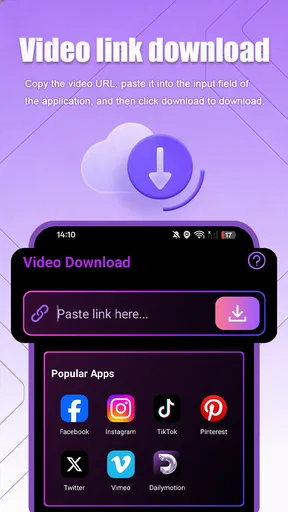
VideoDownloader is an app designed to help users save online videos for later viewing, depending on the supported websites and the platform version. After installing it, you can generally paste a video link or use the app’s built-in browser and download options. Its usefulness depends on the source service, available formats, storage space, and whether the content owner permits downloading.
Is VideoDownloader free to download and use?
VideoDownloader may be available as a free download, but the exact experience can vary between Android and iOS versions. Some features may be supported by advertising, while advanced tools, faster downloads, or an ad-free experience could require an in-app purchase or subscription. Before downloading, check the store listing carefully for pricing, trial conditions, and recurring billing details.
Which websites and video formats does VideoDownloader support?
Support can differ according to the app’s current version, operating system, and the policies of individual video platforms. Common options may include standard formats and different resolutions, but not every website or protected stream will work. I recommend checking the app’s supported-services list and testing a permitted public link before relying on it for regular downloads.
Where are downloaded videos stored, and can I watch them offline?
Downloaded files are usually kept inside the app’s private library or in a folder accessible through the device’s file manager, depending on the operating system and the permissions granted. Once a video has downloaded successfully, it can normally be played without an internet connection through the app. Make sure your device has enough free storage and avoid deleting app data accidentally.
Is it legal and safe to download videos with VideoDownloader?
The app itself may be safe when installed from an official Google Play or Apple App Store listing, but users should still review permissions, privacy information, and developer details before installation. Downloading copyrighted videos without authorization can violate copyright law or a platform’s terms of service. Use VideoDownloader only for content you own, have permission to save, or that is legally offered for offline use.


